introducing GridCue
MotionRGB has released GridCue, a Windows companion application developed for iRacing.
GridCue brings race discovery, live session information, telemetry and in game overlays into a single application, with a focus on making the iRacing experience more efficient before, during and after a session.
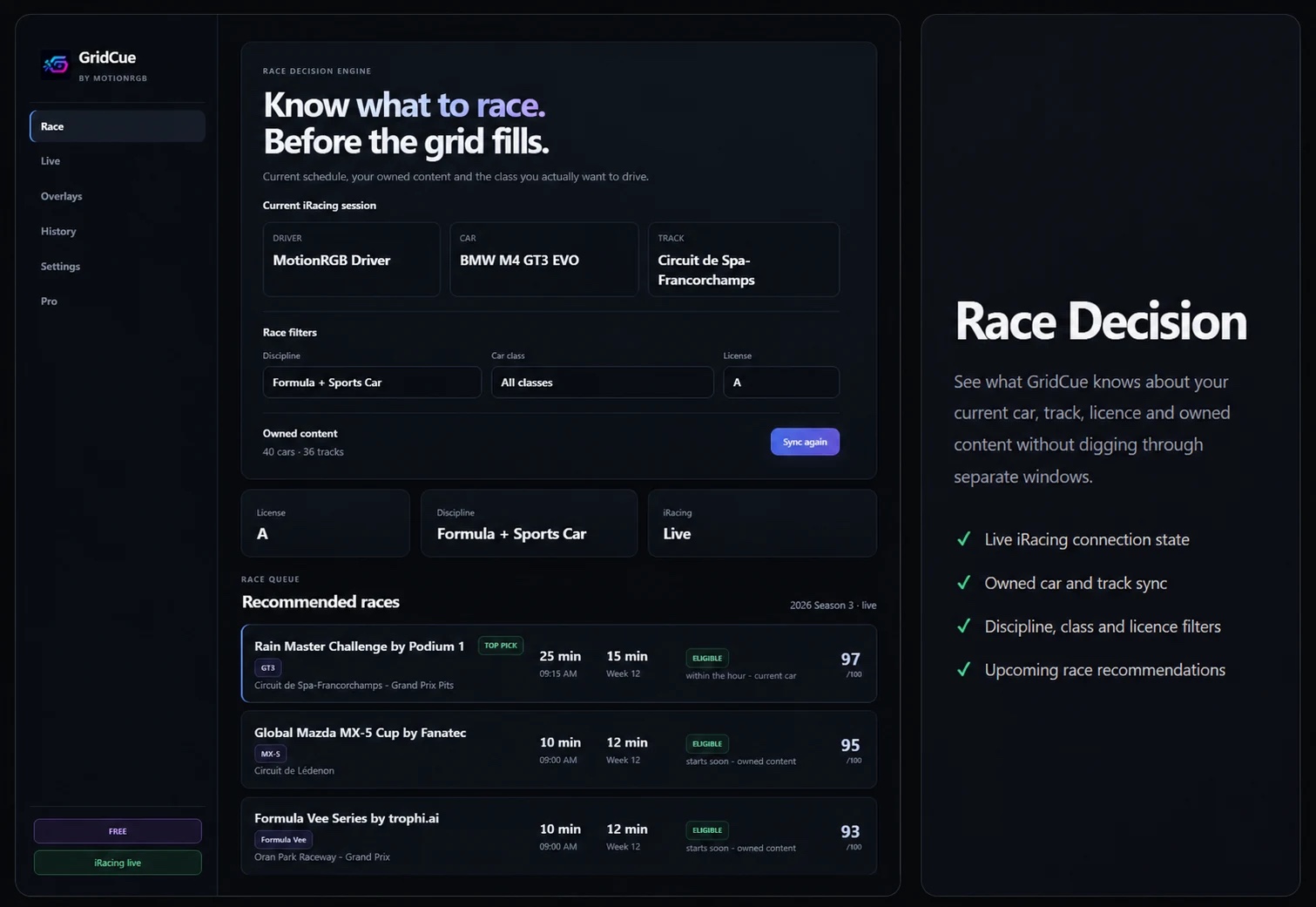
Race Decision
At the centre of GridCue is Race Decision, a system designed to help drivers identify relevant upcoming races more quickly.
Drivers can filter by discipline, car class and licence, while owned-content syncing helps highlight races that match the cars and tracks already available in their iRacing account.
By bringing this information together in one place, GridCue reduces the need to manually search through schedules when deciding what to race next.
Live Session Tools
When iRacing is running, GridCue can display live session information including position, lap data, fuel, incidents, speed and remaining session information.
The Live section also includes tools for preparation and session management, including fuel calculations, practice targets, race checklists and car and track notes.
These tools are designed to keep useful session information accessible without adding unnecessary complexity.
In-Game Overlays
GridCue includes a range of configurable overlays for use while driving.
Core overlays cover session data, fuel, gear and RPM, lap times, speed and driver inputs.
GridCue Pro extends the overlay system with Delta, Relative and Radar.
The Inputs overlay provides live throttle, brake, clutch and steering data, together with gear, speed and telemetry traces. Individual elements can be enabled or hidden, allowing drivers to build a layout that suits their own setup.
Overlays can also be moved, resized and adjusted to match different displays and preferences.
GridCue Free and GridCue Pro
GridCue is available in both Free and Pro versions.
The Free version includes Race Decision, owned-content syncing, live session tools and a selection of core overlays.
GridCue Pro adds Delta, Relative, Radar, Replay Support, custom steering-wheel images, per-car layouts and additional appearance and customization options.
For current GridCue Pro pricing and plan details, visit the official GridCue page on motionrgb.com/gridcue
Built for iRacing
GridCue has been developed specifically for Windows and iRacing, with the application designed to operate alongside the simulator rather than replace existing iRacing functionality.
This release establishes the foundation for GridCue, with continued development planned across the application, overlays and overall user experience.
GridCue by MotionRGB